Admin UI
The Admin UI is available at /admin/ and is the normal place to manage LiMon after the Setup Wizard has completed.
If you need more than this tour
This page is representative, not an exhaustive operating guide. The inline help in the Admin UI and the shipped /opt/limon/docs/operational-manual.pdf contain more complete operational procedures and field-level detail.
Log in with the API URL and API key generated during setup, or choose Sign in with your account for a Local or Directory Admin account when the Admin UI and API use the same address. See Authentication for account setup, access policies, and recovery. Routine changes are stored in the database and are picked up automatically by the API and monitor, so editing config.yml is not part of normal administration.
This is also where administrators define what users see in the frontend: monitored servers, product-level applications, feature mappings, and sites. AD/LDAP enrichment and application or feature cost data are managed here as well, so user, department, usage, and reporting views can show business context instead of only raw license-server output.
The Admin UI also links to Live View, the monitor-generated operator dashboard for recent polling status, logs, and system metrics.
Login
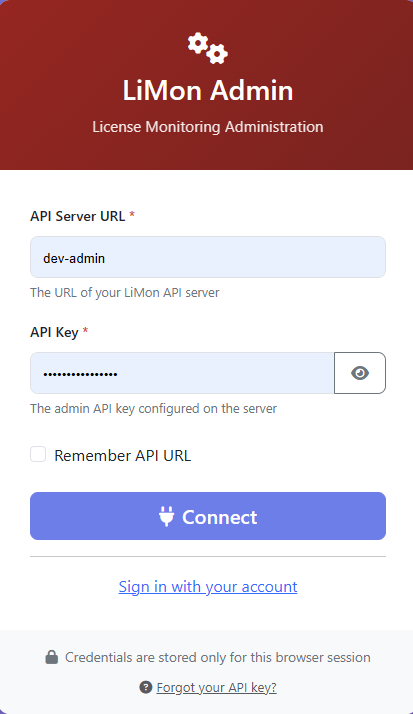
For key-based login, enter the API address in API Server URL (for example https://limon.example.com behind a proxy or http://host:8585 on a package install), enter the admin API key, and choose Connect. Remember API URL stores only the address; the key is stored only for the browser session.
Sign in with your account is available for Local or Directory Admin accounts when the Admin UI and API use the same address. See Authentication for account sign-in and recovery. The API key authorizes protected Admin UI operations and remains available for recovery in every account access mode.
Dashboard
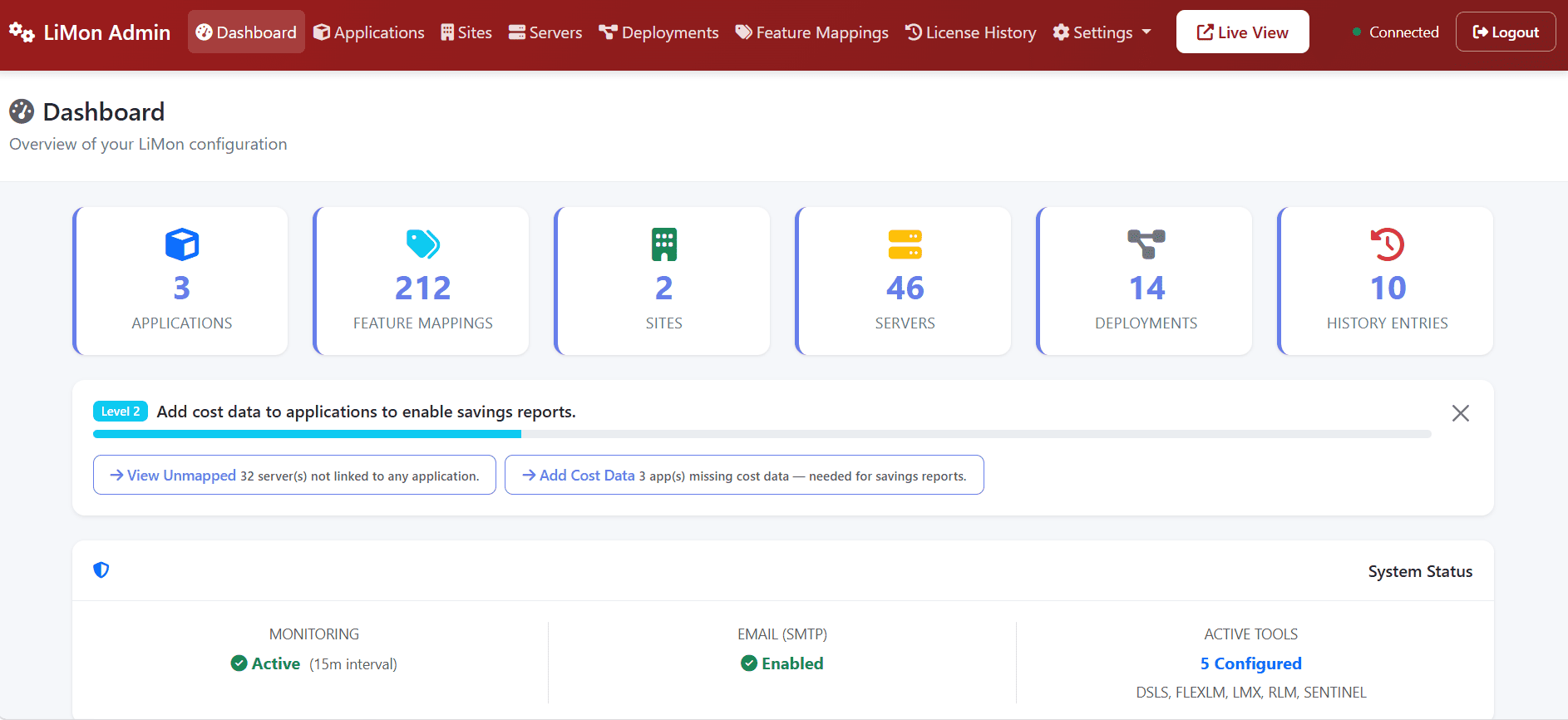
Use the dashboard as the starting point for configuration work. The top navigation moves between catalog, server, deployment, mapping, license, and settings areas; the Live View button opens the monitor-generated status page.
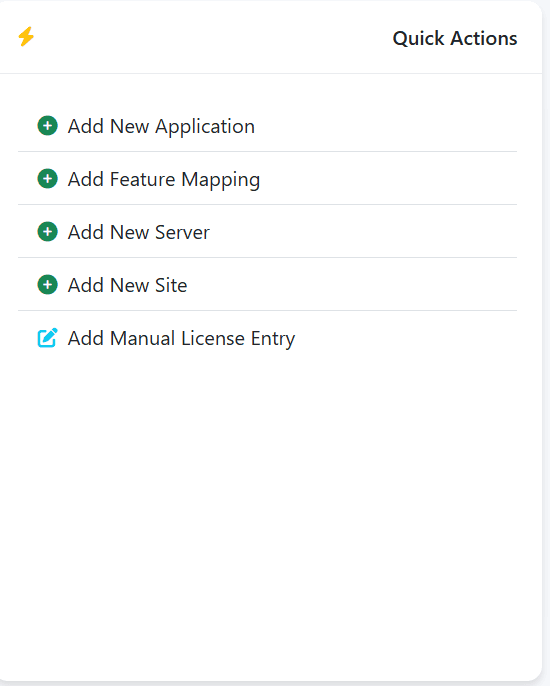
Common Workflows
| Workflow | What it is for |
|---|---|
| Adding servers | Register FlexLM, RLM, LM-X, or DSLS endpoints, usually as port@hostname, then test reachability and polling behavior. Servers can also be batch-imported, decommissioned, and reactivated. |
| Applications | Group vendor feature codes into real software products, such as MATLAB or AutoCAD, so usage, cost, and reports are product-oriented instead of token-oriented. |
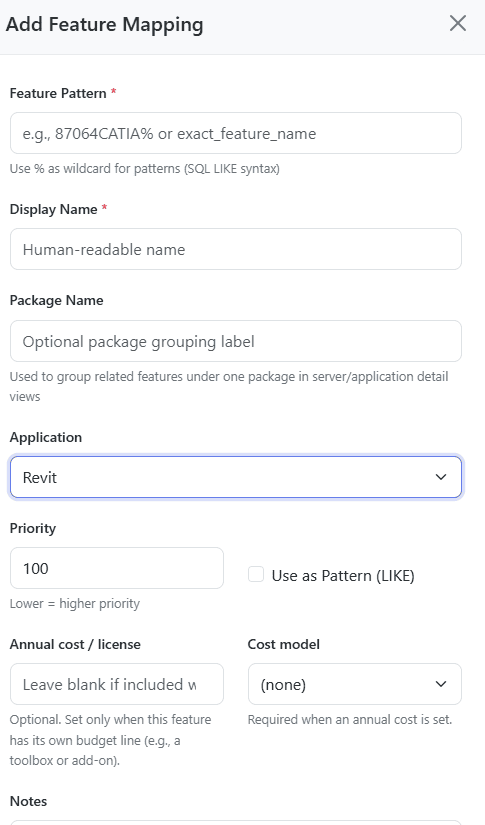
| Feature mappings | Create readable names, regex patterns, cost metadata, and mapping rules for cryptic license feature names. |
| Sites | Model locations or business units, assign servers to those sites, and enable location-aware rollups. |
The screenshots below show common examples only. The Admin UI contains additional forms, validation states, import/export paths, and contextual help that are documented more fully in the inline help and operational manual.
Applications
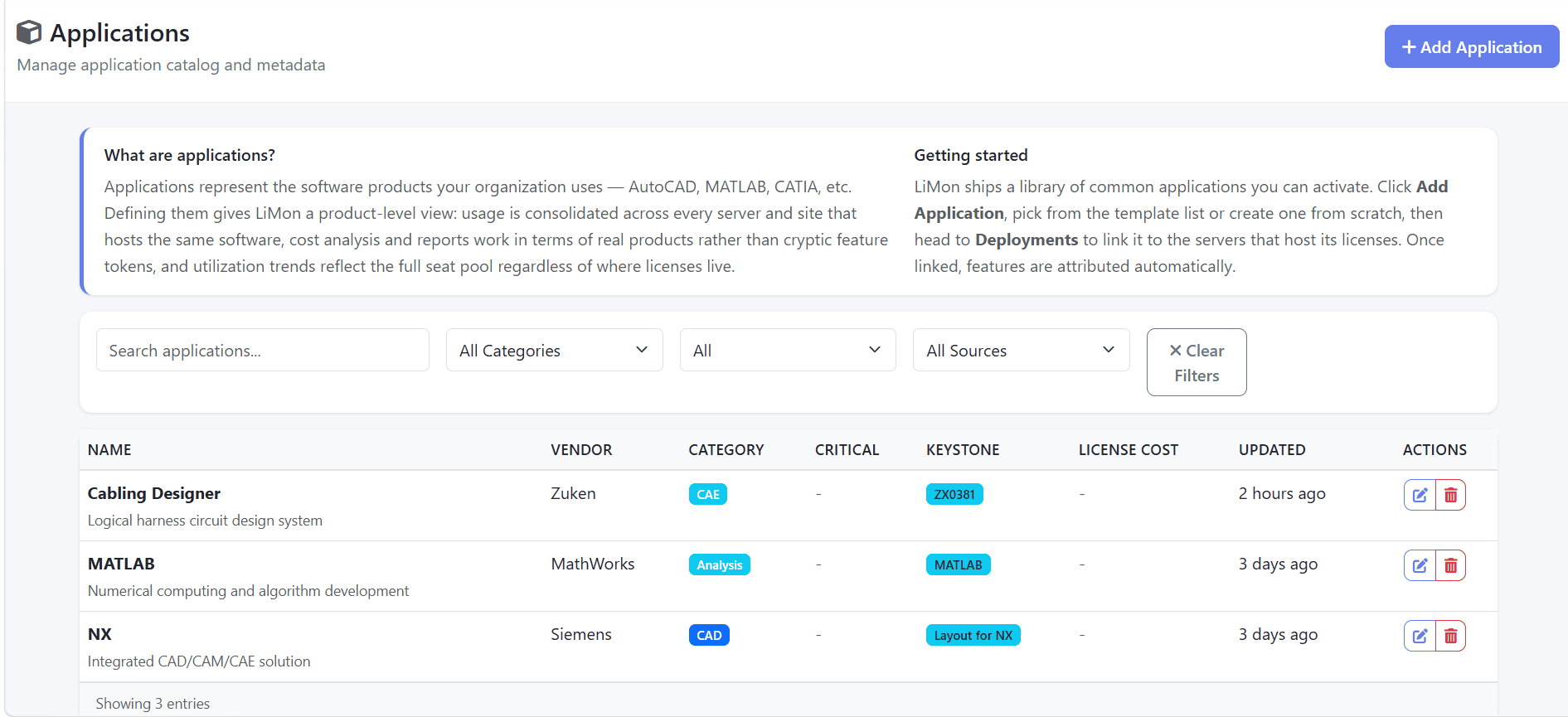
Define applications for the real software products your organization manages. LiMon can use shipped templates or custom entries, then deployments link those applications to the license servers that host them.
Feature Mappings
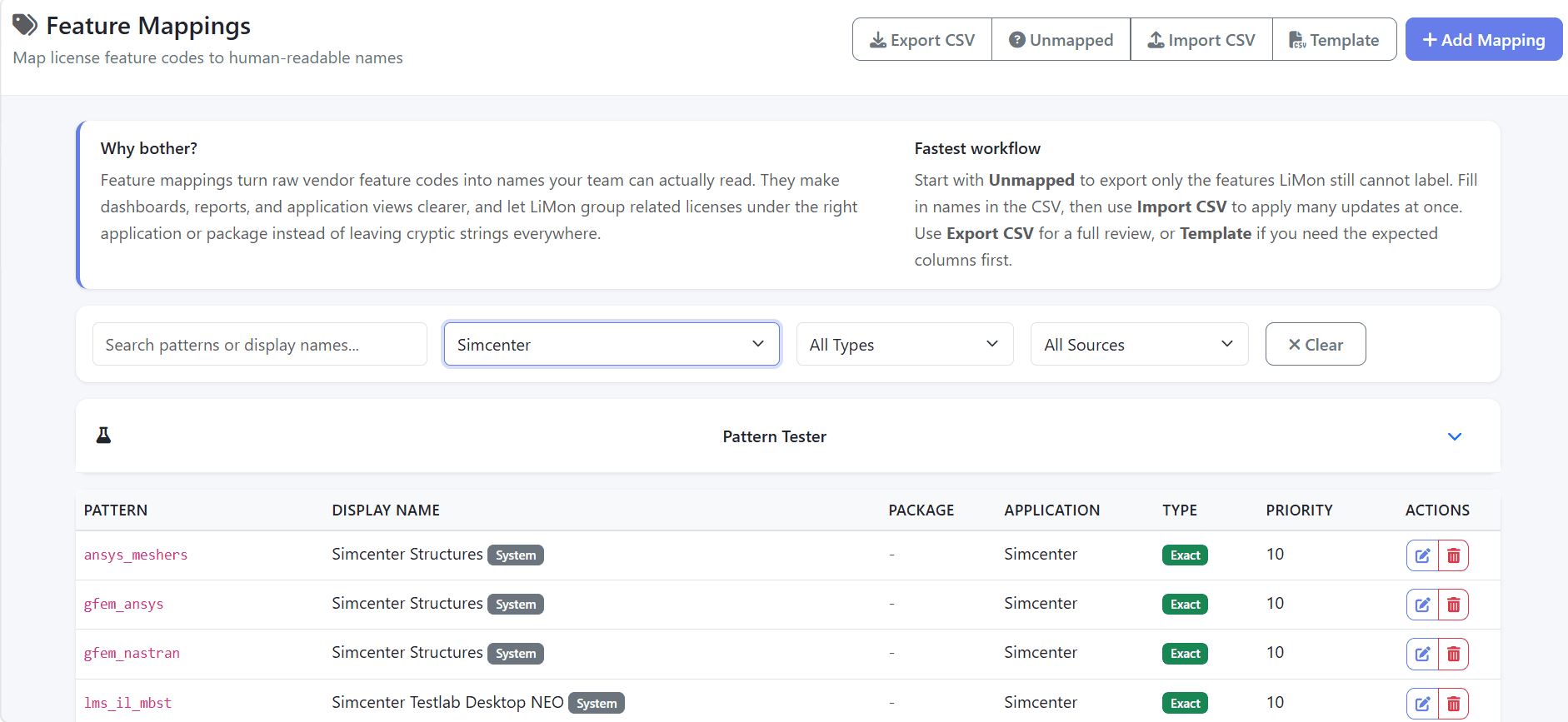
For large estates, start with Unmapped to export only the feature codes LiMon cannot label yet. Fill the CSV offline, then use Import CSV to apply many mapping updates at once.
Settings
Settings are grouped by operational concern rather than by file. The exact fields depend on the enabled platform tier and subscription state.
| Setting | Description |
|---|---|
| Monitoring | Instance name, timezone, collection interval, retention windows, thresholds, and related monitor behavior. |
| Tools | Vendor utility paths for lmutil, rlmutil, lmxendutil, and DSLicSrv, with validation. |
| Notifications | SMTP delivery, Professional webhook endpoints, automatic notification routes, and a link to license-user announcements. See Notifications. |
| Directory Services Pro Sub | Shared directory connection for user enrichment and optional directory sign-in, including Active Directory/Samba AD and LDAP-style providers. |
| Compliance Ledger Pro Sub | Daily evidence sealing, sealing status, and signing-key fingerprint. See Compliance Ledger for setup, verification, and key backup. |
| Licence | Copy the installation ID, activate an evaluation or purchased licence key, and review the platform tier, server limit, subscription status, and renewal warnings. See License Management. |
| About | Installation ID, platform/license details, schema information, and API key management such as rotation. |
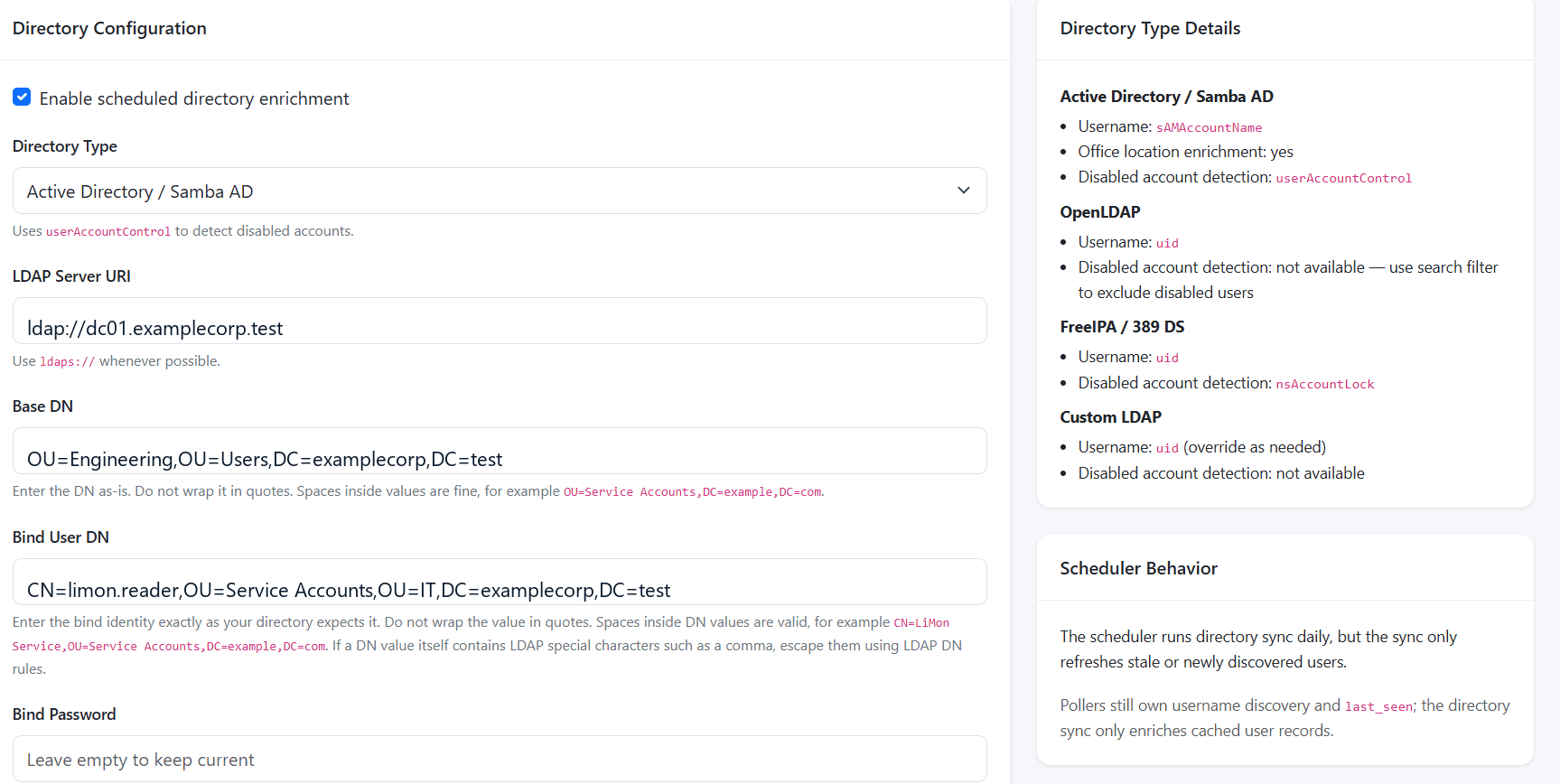
Directory enrichment adds department, office, status, and identity context to user and department analytics. Pollers still discover usernames from license activity; the directory sync enriches cached user records.
Account access is managed separately under Admin → Access. Local accounts are available on both tiers; directory sign-in requires Professional with an active subscription. Enrichment does not enable sign-in. See Authentication for the access modes and role permissions.
Notifications
Open Settings → Notifications to configure and test SMTP delivery or Professional webhook endpoints. Then use Notification routes to assign automatic events to an estate, server, or application and choose sign-in accounts, external addresses, or webhooks as recipients. No matching route means no automatic delivery.
For maintenance messages to recent license users, Licence-user announcements opens the frontend audience page in a new tab. Review the scope and email coverage, preview the message, and confirm its recipient count before sending. The page also offers audience CSV export and delivery of user lists to LiMon accounts.
See Notifications for setup steps, announcement requirements, delivery history, and account preferences.
License Management
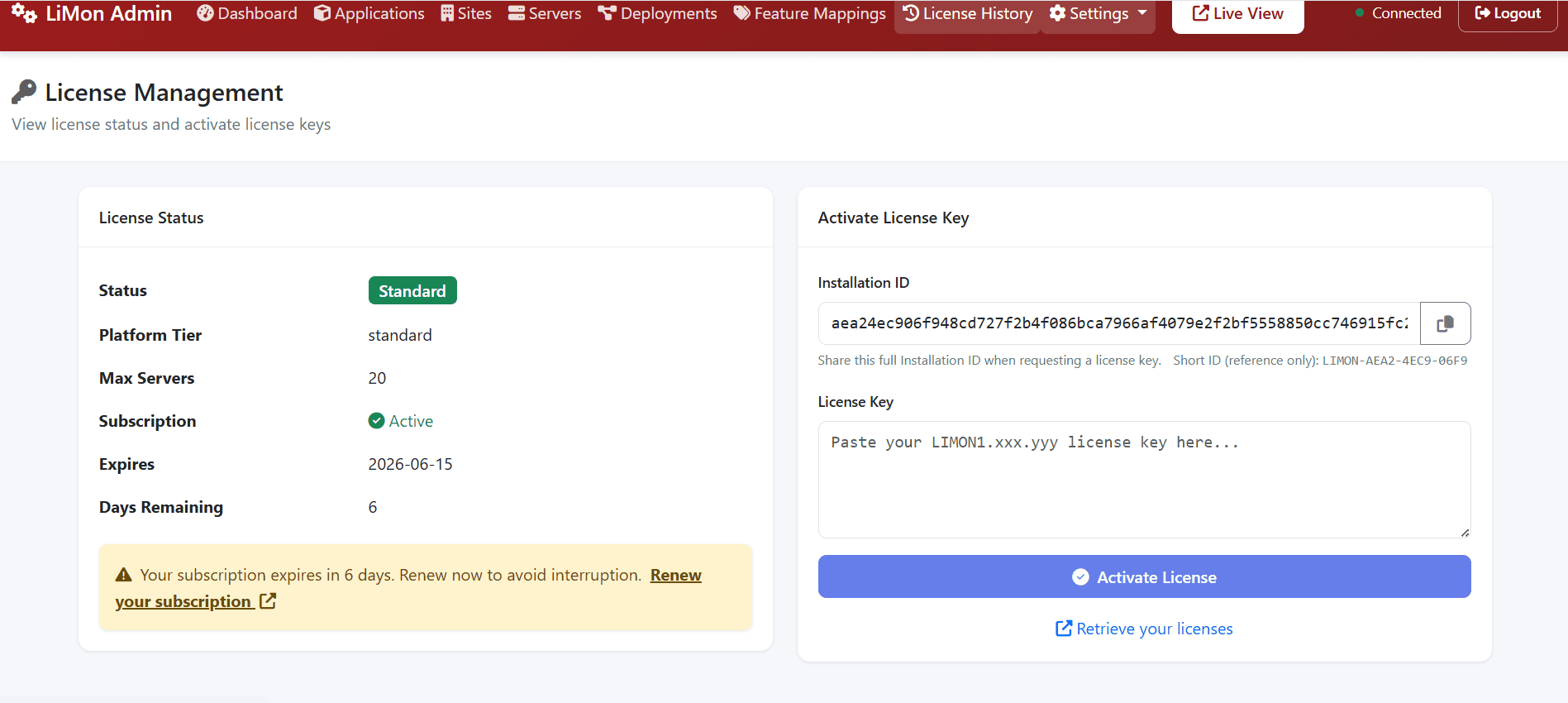
Use this screen to copy the full installation ID when requesting a license key, activate an evaluation or purchased key, and review subscription or renewal warnings.
For backup and migration procedures, follow the shipped /opt/limon/docs/operational-manual.pdf. For endpoint details, see Configuration Reference and the API Reference.